Today
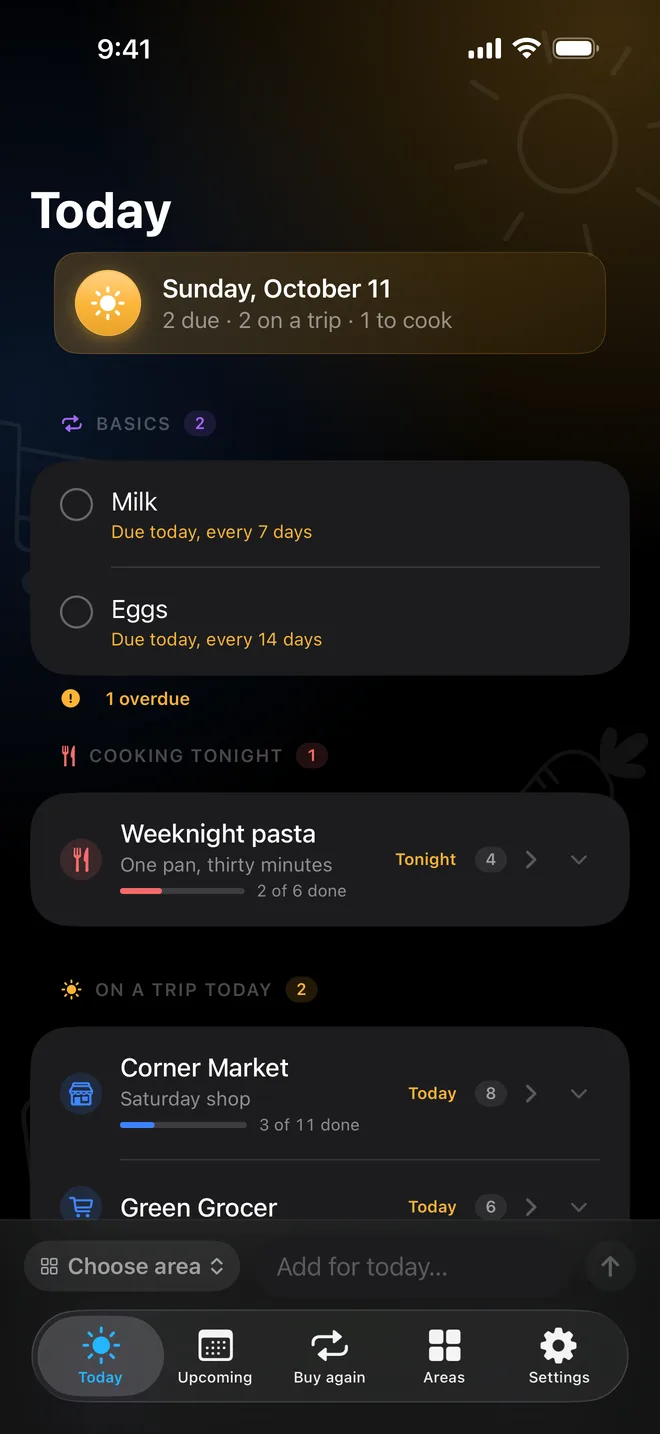
Every task that is due, from every area, next to the areas you are shopping today. Tick it there and it is done where it lives.

A to-do app for everything you buy
What you get every trip comes back on its own, what you want by Friday shows up in Today, and the big purchases wait in your Wishlist until you're ready.
View on the App StoreiPhone · iPad · Mac
Made for iPhone, iPad and Mac.
Free for three areas · $1.99 once for unlimited
The same areas on iPhone, iPad and Mac, synced through your own iCloud. No account, ever.


Every task that is due, from every area, next to the areas you are shopping today. Tick it there and it is done where it lives.
Everything you get every trip, with when you last got it. The view this app is built around.
The only setting a task needs. Finish a trip and once-only tasks move to Completed, buy-again ones come back unticked, and anything you missed stays, marked “Left from last trip”. Add tags and a photo, and you bring home the right one.

Errand areas you shop in trips. Staples, the standing set you pull from whenever you set off. A Wishlist for the big purchases, as Soon, Mid-term and Long-term. And Stock: what you already have at home.

Any task can be wanted by a day, once or every few days, counted from the day you actually got it. Nothing nags; Upcoming shows the next two weeks by day.

One easy dinner for tonight, built from what is in Stock, with its recipe and the tasks it needs. Saved for today in a tap.

“Quick weeknight meals” becomes a whole area — name, icon and tasks — which you edit before anything is saved.

Connect an assistant once and it can read your areas and ask for changes from anywhere — no Mac awake, no terminal, no plugin.
Works with anything that speaks MCP — ChatGPT, Claude, or a script of your own.

One credit buys: